Can I copy measurement configurations from one ProLink to another?
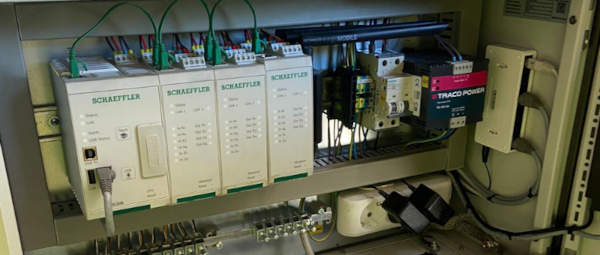
Yes, you can copy measurement configurations from one product to another. For this, the product has to have the same
hardware configuration, i.e. the same number and type of modules. You can download a configuration from one product via
SmartWeb (File -> Save device configuration) and apply it to the next product (File -> Upload device configuration). The
same can be achieved using the SmartUtility (Light) software, by downloading the configuration (More actions -> Download
configurations) and uploading it to the next device(s) (More actions -> Upload configurations).
Can the ProLink read data from external systems?
Other than measuring values, ProLink can also read data from external systems via network. For this, you can use the
following protocols:
OPC UA. In this case the device acts as an OPC UA server. You define an input under the external channel for the
OPC UA server. Then the OPC UA client (external system) can write values to this input channel.
Mitsubishi Controller (SLMP). In this case the device acts as a SLMP client. You define an input under the external
channel for the SLMP client. The device will read values from the Mitsubishi controller and store them in this input
channel.
PROFINET. To use PROFINET, you need to buy a Schaeffler ProLink PROFINET module separately. After installing the
module, you define an input under the external channel for PROFINET. The device will read values from the PROFINET
controller and store them in this input channel.
EtherNet/IP. To use EtherNet/IP, you need to buy a Schaeffler ProLink EtherNet/IP module separately. After installing
the module, you define an input under the external channel for EtherNet/IP. The device will read values from the
EtherNet/IP controller and store them in this input channel.
How can ProLink provide data to external systems?
There are several ways for the ProLink to provide data to external systems. We created a document which explains these
for several different use cases. You can download this document here: Data exchange with ProLink